



Your AI-powered Umrah guide.
With you at every step of Umrah — step-by-step worship guidance, live translation, group tracking and content that works offline.
 Coming soon to the App Store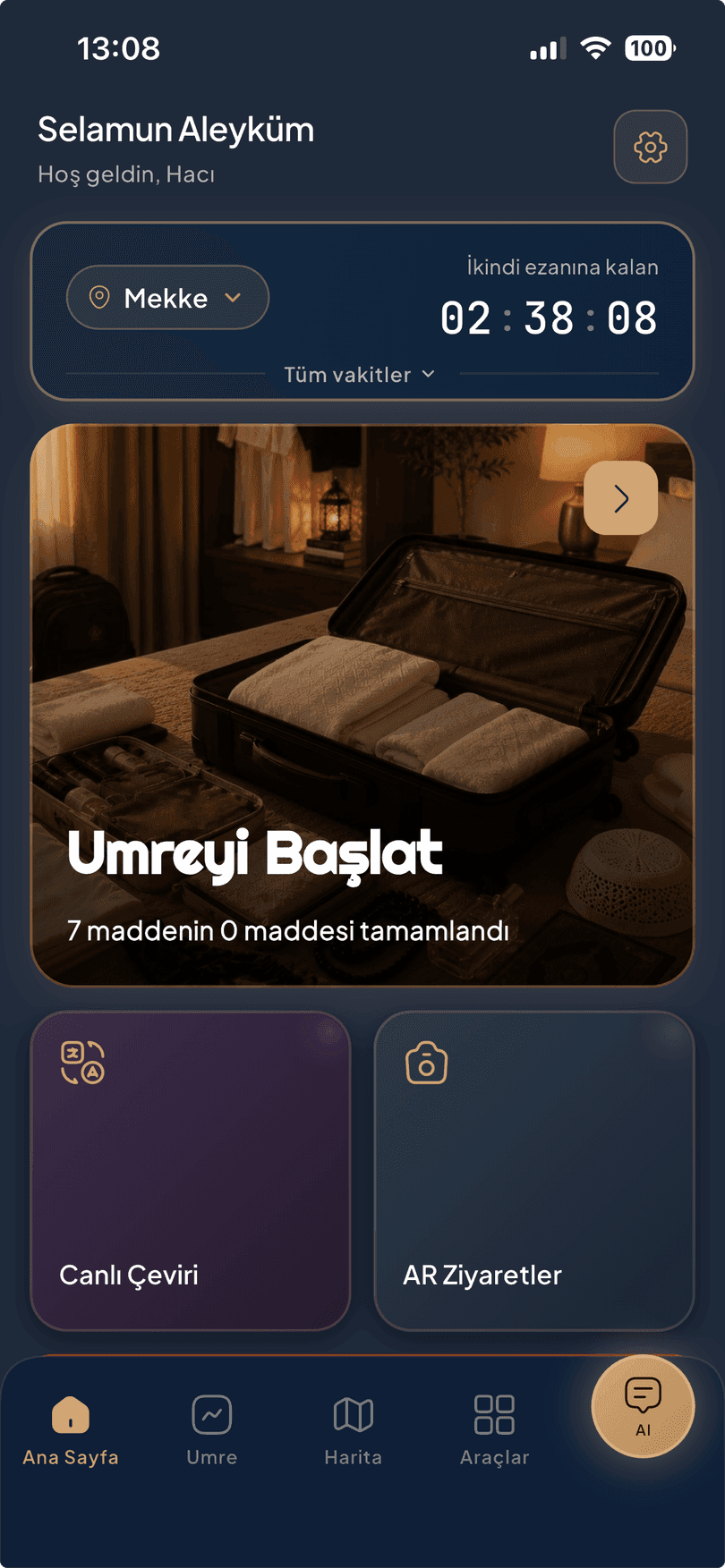
Step-by-Step Umrah
The six stages of Umrah, with you at every step.
Every step is marked as obligatory or recommended; for steps with a supplication, you get the original Arabic text, a transliteration in your own alphabet and the meaning in English — side by side.
- Audio at two paces — listen to the Tawaf and Sa'i supplications read fluently, or slow down and repeat after them.
- Your progress, saved to your account — marked even while you're offline, synced once you're back online.
- No sign-in needed — the entire guide can be read without signing in.


The worship flow and religious content in the app are verified by our Scholarly Advisory Board.
Tawaf & Sa'i
Tawaf without looking at your phone.
Count your circuits by hand or with location-based automatic counting; you focus only on worship.
- Audio supplications by zone — follows where you are around the Kaaba; stays silent until the starting line, so no supplication is cut short.
- Picks up where you left off — an unfinished Tawaf isn't forgotten; your phone vibrates as each circuit is completed.
- Seven circuits of Sa'i — with a direction indicator and audio for the circuit supplications.


Umrah map
Not a city map — a map of your Umrah.
Only what you need is on it: mosques, holy sites, the gates of the Haram — no clutter. Tap a place; its story, audio narration, video and book open in a single card, with directions if you want them.
- The library follows your location — stories and narrations come up for the place you're standing by.
- City-aware — shows Makkah in Makkah and Madinah in Madinah.
- Explore with your camera — near the holy sites, open your camera and see the places around you on screen; get details and directions. Start your visit with "AR Ziyaretler".


Live Translation
Speak — and let them hear it in their own language.
Live translation in 63 languages with two facing microphones: you speak, it's translated, and the other person hears it out loud. Right-to-left languages included.
- Two facing microphones — the phone sits between you, and both directions are translated.
- Speak → translate → play — the translation isn't just text; it's read out loud.
Live translation requires an internet connection.


AI Umrah Assistant
Type your question or just say it.
Answers come with the related supplication cards. Your chat history is saved to your account.
- Type or talk — ask whichever way is easier for you.
- Answers only about Umrah; questions outside that scope are politely declined.
- Supplication cards — next to the answer, with transliteration and meaning.

Group & Safety
Your group, right in front of you.
Set up your own group with family or friends — by QR code, in seconds. See members' live locations on the map; the group stays open as long as you want, and can be extended.
- Meeting point — set one, and everyone gets an instant notification.
- Group SOS — reach your group with a single tap.
- Live broadcast — the group owner goes on air to their own group, and everyone listens together.
- Every emergency number, including your consulate, at hand — one tap, without signing in.
- Otele Dön (Return to Hotel) — save your hotel once, find your way back from anywhere.
Your location is read only for the feature you're using and shared only with your group.


Quran · Library · Tools
The tools you'll need for Umrah, built in.
Most of the app is free. The Holy Quran in its full Arabic text — with bookmarks and Quran completion tracking. Books, audio and videos: download before you travel, open them in the Haram even without signal.
- Qibla — calculated on your phone, with no server connection; only asks for location permission.
- Prayer times — for the city you're in.
- Digital tasbih — audio for the ready-made dhikr, add your own supplication; your counts are saved to your account.


And more
Little conveniences that make the journey easier.
Otele Dön (Return to Hotel)
Save your hotel once, find your way back from anywhere.
Saved Places
Mark the spots that matter to you.
Quran Completion Tracker
Pick up where you left off.
Passwordless Sign-in
A one-time code, no password to remember.
Your Records in Your Account
Change phones — your records stay with you.
Dark / Light Theme
Easy on the eyes, day and night.
Notification Inbox
Announcements and reminders in one place.
For agencies
If you're the one leading the group — your guide's voice, in every pilgrim's pocket.
No more radio investment
Leave the radios at home.
No hardware investment, no device hassle at customs, no charging logistics, no range or frequency worries — the pilgrim's own phone becomes the radio; anywhere with internet, with clear sound.
- The guide goes live to the whole group — from their own phone; the app's ready-made narrations and the agency's own audio recordings, uploaded from the panel, can be put on air too.
- A pilgrim separated from the group keeps listening — anywhere with internet, with no range limit.
- Tour itinerary in the pilgrim's pocket — hotel and room number always at hand.
- An instant "Kayboldum" (I'm lost) alert to the guide and the agency manager, an instant announcement to the group; meet up with the pilgrims in the group and see their locations.
- Your agency's logo on the tour card.
Travelling on your own or with an agency — the app carries both journeys.


How it works
Set off in three steps.
Download and explore
Download for free and look around — everything can be read without signing in.
Sign in with your phone
No password; the one-time code sent to your number is enough.
Tap Umre'yi Başlat (Start Umrah)
When your journey comes, start the guide and let the steps walk with you.
Frequently asked
Short answers.
What works without internet?
Downloaded books and audio/video content, the counters and step marking, the digital tasbih and the Qibla compass work without internet; your records sync automatically once you're connected. Qibla is calculated entirely on your phone — it doesn't connect to a server and only asks for location permission. Live translation, the AI Umrah Assistant and live broadcast require an internet connection.
What happens to my records if I change my phone?
Your records are tied to your phone number; when you sign in with your number on the new device, your progress, counts and packages come back. Quran completion tracking and the Quran bookmark are stored on the device, so they don't carry over to the new phone. For security, only one device stays signed in at a time; a new sign-in ends the session on the previous device.
What languages is the app in?
The interface is in six languages: Turkish, English, Arabic, Urdu, Hindi and Indonesian. Live translation supports 63 languages — the interface language and the translation languages are separate things; you can use the app in your own language while talking to someone in another.
For all questions and support channels: Support page
Worship with confidence.
Your AI-powered Umrah guide — with you throughout your journey.
Coming soon to the App StoreWe'll let you know when the iPhone version is live.